








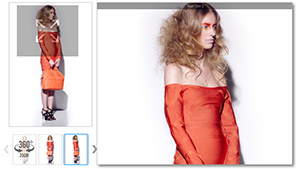
 Fully responsive mouseover zoom with integrated 360°/3D support is a perfect all-in-one solution for e-commerce.
Most our e-commerce plugins are based on this example. It does also support 360° "Product Tour" out of the box and
the 360° "Product Tour" editor is directly integrated into the backend of the e-commerce modules.
Videos are also supported.
Fully responsive mouseover zoom with integrated 360°/3D support is a perfect all-in-one solution for e-commerce.
Most our e-commerce plugins are based on this example. It does also support 360° "Product Tour" out of the box and
the 360° "Product Tour" editor is directly integrated into the backend of the e-commerce modules.
Videos are also supported.
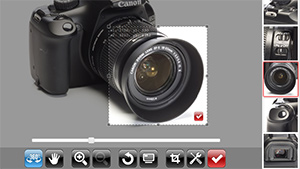 Fully configurable "cropped thumbs gallery" / "product tour" with "spinTo" and "zoomTo" is definitely must-see!
It is integrated into all AJAX-ZOOM e-commerce modules.
Fully configurable "cropped thumbs gallery" / "product tour" with "spinTo" and "zoomTo" is definitely must-see!
It is integrated into all AJAX-ZOOM e-commerce modules.
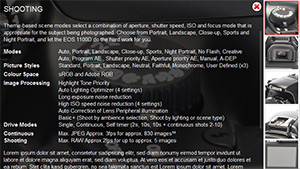
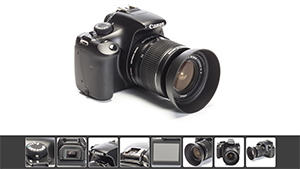
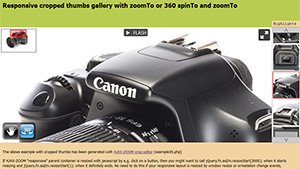
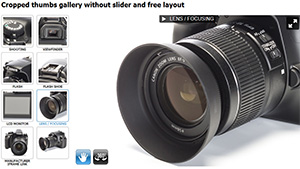
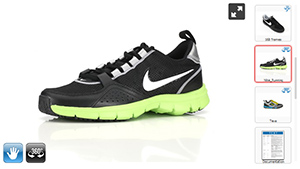 Show 360°/3D spins together with normal images, videos + documents as in "one player"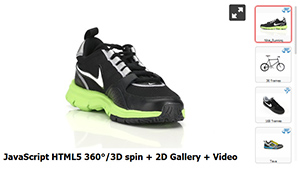
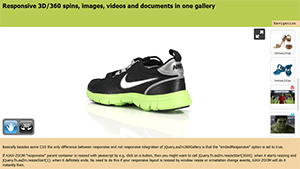
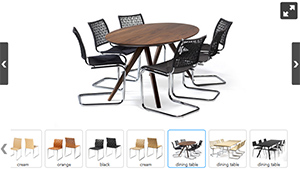
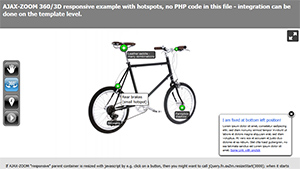
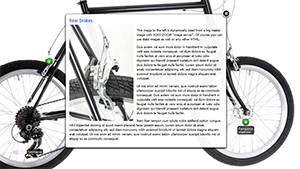
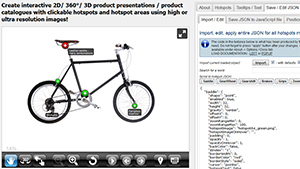 Also check out the clickable and fully configurable HOTSPOTS configurator with really tons of interesting features!
It is integrated into all AJAX-ZOOM e-commerce modules.
Also check out the clickable and fully configurable HOTSPOTS configurator with really tons of interesting features!
It is integrated into all AJAX-ZOOM e-commerce modules.
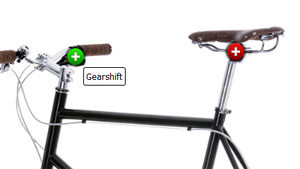
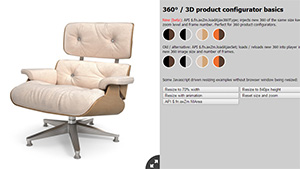 Switch between 360 / 3D at any state, also zoomed and fullscreen view. Perfect for product configuration tools.
Extendable to use with hotspots or spinTo && zoomTo product tours.
Switch between 360 / 3D at any state, also zoomed and fullscreen view. Perfect for product configuration tools.
Extendable to use with hotspots or spinTo && zoomTo product tours.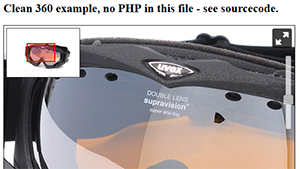 For a clean example without "360°/3D gallery" and anything else please see here:
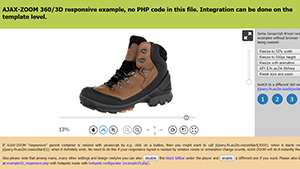 To start AJAX-ZOOM 360°/3D in responsive / adaptive layout, see
 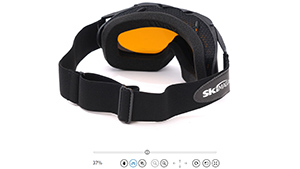 To start AJAX-ZOOM 360°/3D in fullscreen mode, see
 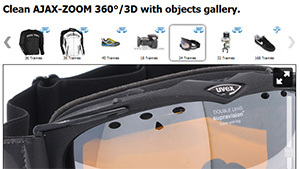 For a clean example with "360°/3D gallery" and anything else please see here:
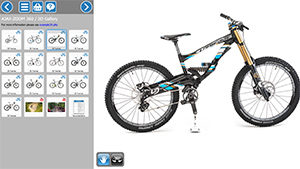 To implement AJAX-ZOOM 360/3D in responsive / adaptive layout with or without gallery, see
 To load AJAX-ZOOM 360/3D in a lightbox e.g. Fancybox, see
 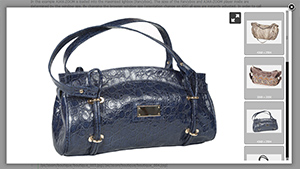 To load AJAX-ZOOM 360/3D in a responsive / adaptive lightbox, see
https://www.ajax-zoom.com/examples/example27.php
To load AJAX-ZOOM 360/3D in a responsive / adaptive lightbox, see
https://www.ajax-zoom.com/examples/example27.php
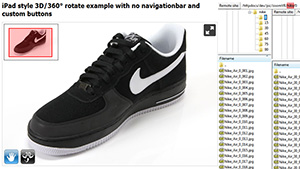 Here you will find a 3D - multirow spin, rotate & zoom example:
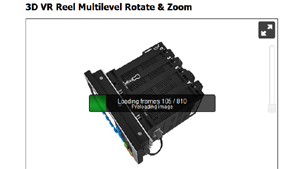 Here is a truly VR spherical example with 9 rows and 90 images per row = 810 images
https://www.ajax-zoom.com/examples/example15_vr9.php
Here is a truly VR spherical example with 9 rows and 90 images per row = 810 images
https://www.ajax-zoom.com/examples/example15_vr9.php
 If you do not like the toolbar below the player see e.g.
example28.php, which is fully functional without this toolbar.
If you do not like the toolbar below the player see e.g.
example28.php, which is fully functional without this toolbar.
Following is some very basic technical information about AJAX-ZOOM. If your are serious about trying and implementing AJAX-ZOOM on your webpage, then viewing other examples and browsing in documentation are highly recommended as first step! After you have found an example which does conceptually suits your needs, your should download the package and make it work on your server or localhost.
While searching for a suitable example do not pay attention to design, galleries and other things, which are all configurable, adjustable and can be disabled. The point is, that AJAX-ZOOM is so flexible, that our team sometimes does not recognize its own product after it has been implemented and adjusted by the customers. If you are not sure what example is the right one to start with, you can send us a mockup which would visualize your intent and we will gladly give you a hint.
Basically, to load the 360 spinner, all you need is to define the directory ("3dDir" parameter) where images (frames of 360) are located. The number of frames depends on the number of images in this directory and will be determined instantly! For a single row (360, not spherical 3D) you should have at least 12 images. The more images are available, the smoother your animation is. However, the more images are loaded, the longer it takes for the preload. Therefore we consider 72 images as perfectly smooth for the web; 36 images is a good average used by many customers these days.
All image processing, including the generation of image tiles, is done on the fly during the first load of AJAX-ZOOM in the browser. You can however, pre-process all your 360s with the provided batch tool (/axZm/zoomBatch)
There are several 360/3D specific options to adjust the spin behaviour and appearance. However all other options from plain 2D zoom are applicable to 360 degree player as well! A small selection of selected parameters has been made to be visually changed in this example (more parameters in the online documentation): Reverse spin direction. Enable | disable the blur effect. Disable | enable the navigation toolbar. Disable | enable the zoom slider and disable | enable the spin slider.
By defining the query string parameter in ajaxZoom.parameter "example=17" some default settings from
/axZm/zoomConfig.inc.php are overridden in /axZm/zoomConfigCustom.inc.php after elseif ($_GET['example'] == 17){.
So if changes in /axZm/zoomConfig.inc.php have no effect look for the same options /axZm/zoomConfigCustom.inc.php;
Here
you will find more information on how to setup options best.
To interested developers AJAX-ZOOM offers a variety of methods and callbacks to develop a highly customized applications. Alternatively we can create your individual application as a custom work.
free download with sample images and all the examplesThe below code is from example15_clean.php; For 360 gallery and responsive examples please see derived examples and other above.
    <!--  Include jQuery core into head section -->
    <script src="https://ajax.googleapis.com/ajax/libs/jquery/1.8.2/jquery.min.js"></script>

    <!--  AJAX-ZOOM javascript && CSS -->
    <link href="../axZm/axZm.css" type="text/css" rel="stylesheet" />
    <script type="text/javascript" src="../axZm/jquery.axZm.js"></script>
    <!--  Placeholder for AJAX-ZOOM player -->
    <div id="AZplayerParentContainer" style="margin: 5px 0px 0px 10px; width: 602px; min-height: 400px; color: gray;">
        Loading, please wait..
    </DIV>
    // Create empty jQuery object which is interpreted in axZm/jquery.axZm.loader.js
    var ajaxZoom = {};

    // Define callbacks, for complete list check the docs
    // https://www.ajax-zoom.com/index.php?cid=docs#API_CALLBACKS
    ajaxZoom.opt = {
        onBeforeStart: function(){
            // Some of the options can be set directly as js var in this callback
            jQuery.axZm.spinReverse = true;
        }
    };

    // Define the path to the axZm folder, adjust the path if needed!
    ajaxZoom.path = "../axZm/";

    // Define your custom parameter query string
    // example=17 has many presets for 360 images*
    // 3dDir - best of all absolute path to the folder with 360/3D images
    // *By defining the query string parameter in ajaxZoom.parameter example=17
    // some default settings from /axZm/zoomConfig.inc.php are overridden in
    // /axZm/zoomConfigCustom.inc.php after elseif ($_GET['example'] == 17){.
    // So if changes in /axZm/zoomConfig.inc.php have no effect -
    // look for the same options /axZm/zoomConfigCustom.inc.php;
    ajaxZoom.parameter = "example=17&3dDir=/pic/zoom3d/Uvex_Occhiali";

    // The ID of the element (placeholder) where AJAX-ZOOM has to be inserted into
    ajaxZoom.divID = "AZplayerParentContainer";

    // Load AJAX-ZOOM
    jQuery(document).ready(function(){
        jQuery.fn.axZm.load({
            opt: ajaxZoom.opt,
            path: ajaxZoom.path,
            parameter: ajaxZoom.parameter,
            divID: ajaxZoom.divID
        });
    });
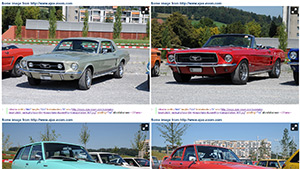 For integration within iframe(s) please check example13.php.
There is almost no difference between regular integration and within an iframe.
Fullscreen or full browser window does also work on IOS. In this example mouse wheel zoom is disabled per parameter
so the user can scroll page down with mouse wheel. But if you want to put AJAX-ZOOM into a tab or it will have
smaller dimensions it does make sense to enable it.
For integration within iframe(s) please check example13.php.
There is almost no difference between regular integration and within an iframe.
Fullscreen or full browser window does also work on IOS. In this example mouse wheel zoom is disabled per parameter
so the user can scroll page down with mouse wheel. But if you want to put AJAX-ZOOM into a tab or it will have
smaller dimensions it does make sense to enable it.